Media House

For Mac and Windows

The house for your media.

Point it at a folder. Media House indexes every format, finds the actors and categories hiding in your file names, makes posters, and lets you browse it all like a cinema.

15-day free trial, no sign-up. Then US$4.99 a year. Your files never leave your computer.
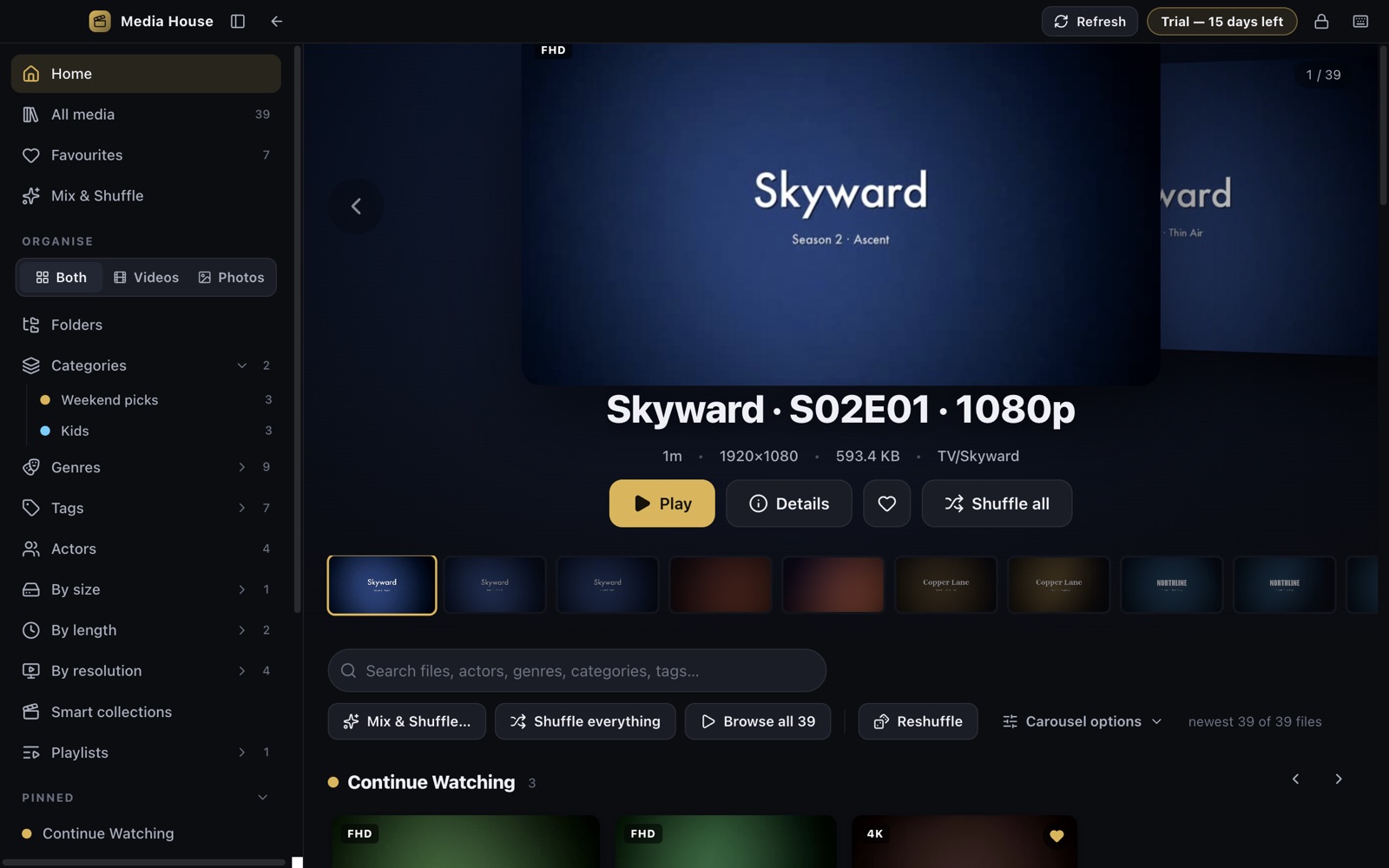
Media House home screen: a large carousel of posters with a search bar and rows of recently added videos
Every formatMP4, MKV, AVI, MOV, TS, WebM, HEVC 10-bit, HEIC, Live Photos
13 languagesEnglish, Arabic, German, Spanish, French, Italian, Portuguese, Russian, Turkish, Chinese, Japanese, Korean, Hindi
0 accountsNo sign-in, no analytics, no uploads. The library lives in your data folder.
1 priceUS$4.99 a year after a 15-day trial, through the App Store or Microsoft Store.

What it does

It organises itself, then lets you make it yours.

Large local libraries usually end up as folders of file names. Media House reads those names and turns them into something you can browse.

From file names

Actors, series, years, categories

Names, episode numbers, quality tags and recurring words are detected automatically. Accept a suggestion and it becomes a real category on every matching file.

Your call

Favourites, scores, genres out of 10

Score any file, give each genre its own strength, tag freely, and drag labels between sections when the app guessed wrong.

Smart collections

Rules, not lists

“4K, over 90 minutes, unwatched, Action scored 7+”. Collections update themselves as files arrive and can be pinned to Home.

Player

Markers, previews, resume

Hover the timeline for a frame preview, drag to scrub, mark moments with a screenshot, resume where you stopped, and switch subtitles or audio tracks.

Anywhere in the house

Phone & TV access

Turn on a PIN-protected page on your own network and any phone, tablet or TV browser can browse and play. Scan a QR code to open it.

Private by design

App lock and a local library

Password or Touch ID lock, nothing uploaded, no telemetry. Optional online lookups for actor photos, film details and subtitles happen only when you ask.

In use
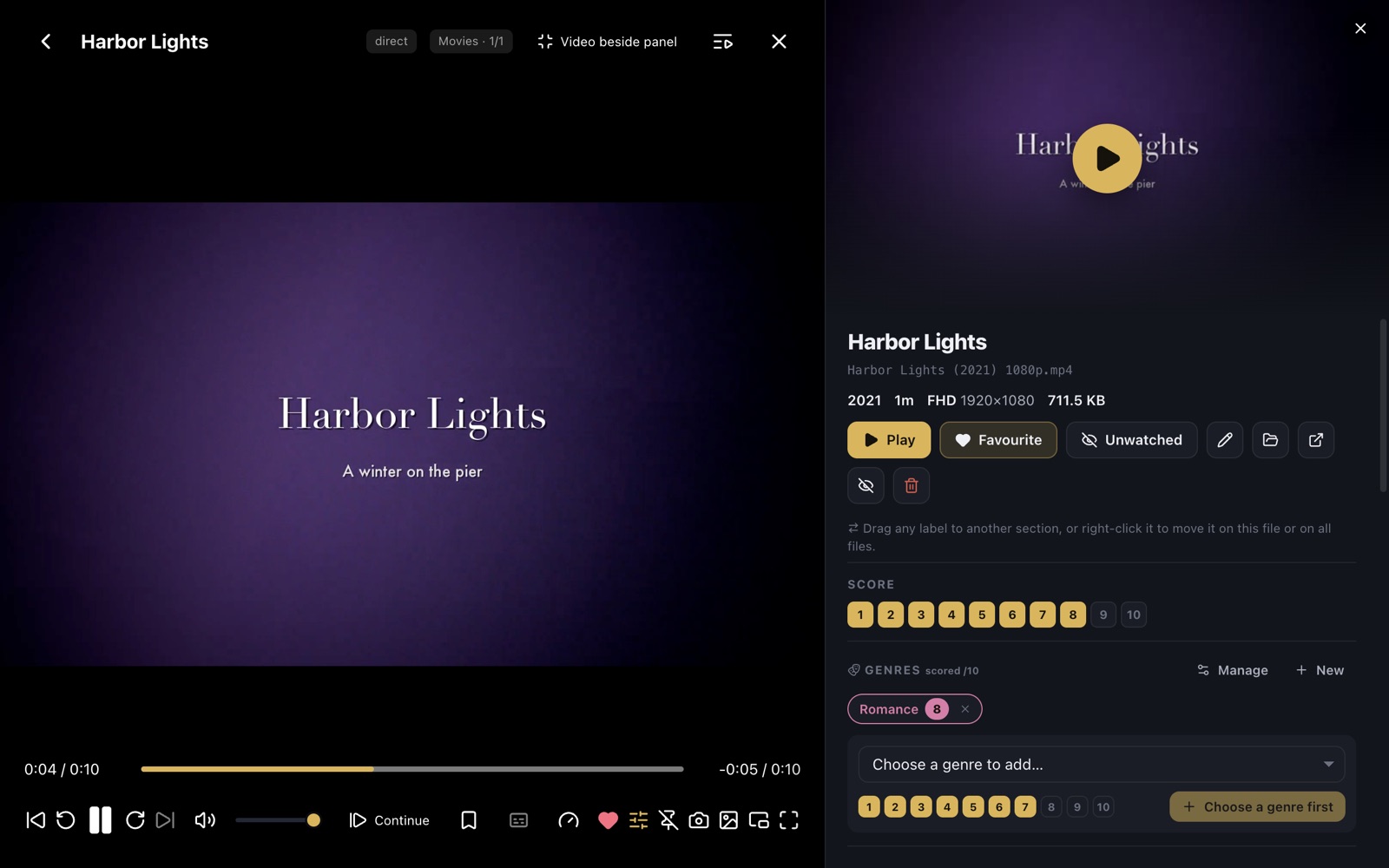
Organise while you watch.

The player with the organise panel open beside the video, showing score, genres, categories and tags
The organise panel opens beside the video. Score it, add genres and categories, drop a marker, without leaving playback.
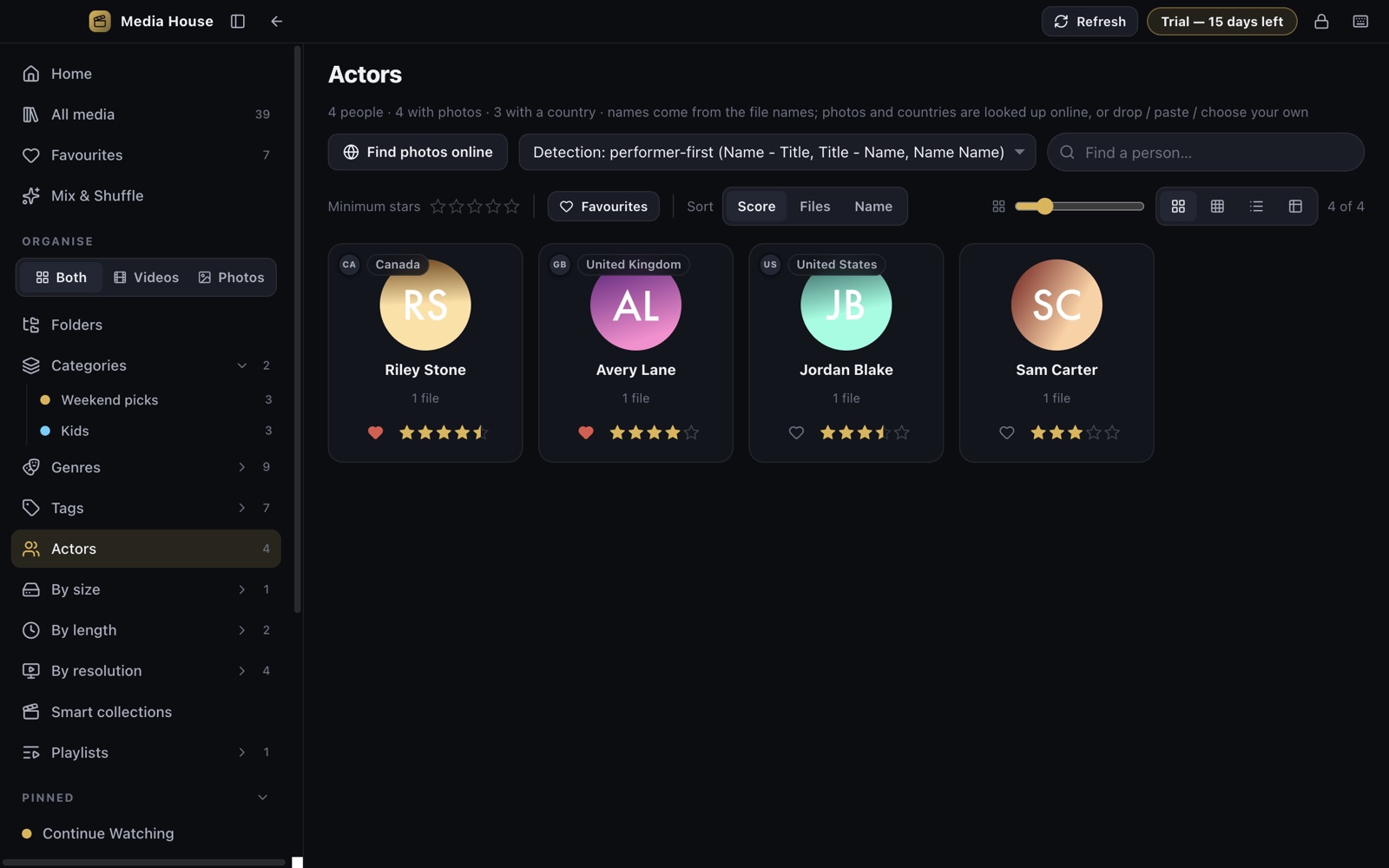
The Actors page with photo cards for each person detected in file names
Everyone found in your file names, with photos looked up on request. Rename, merge, favourite or remove with one click.

Pricing

Try everything for 15 days. Then one small yearly price.

No sign-up, no card to start. When the trial ends the app keeps your library, favourites, scores and categories exactly as they are and asks whether you want to carry on. Subscriptions are handled by the App Store or Microsoft Store and can be cancelled any time.

EnglishالعربيةDeutschEspañolFrançaisItalianoPortuguêsРусскийTürkçe中文日本語한국어हिन्दी
$4.99per year
  • Every feature, every format
  • Unlimited folders, actors, categories
  • Phone & TV access on your network
  • All future updates
Start the free trial

Windows

Also on the Microsoft Store.

The Windows version is the same app with the same 15-day trial and the same yearly price. Open Media House in the Microsoft Store, or search for “Media House” in the Store app on Windows 10 or 11.

Questions

Short answers

Does it need FFmpeg or codecs?
No. Everything needed is built in.
Where does my data go?
Nowhere. The library index lives on your computer. See the privacy policy.
Can I move my organisation to another computer?
Yes, with the per-folder library file or an export.
Cloud files?
iCloud Drive and OneDrive placeholders are recognised; download from inside the app with a progress ring.